
Learn your club, one session at a time.
Our Club Learning Facilitator leads short trainings at Wednesday meetings — five minutes on something every member can use. Each session becomes a module here, so you can follow along live or come back to it any time.
Presented at a meeting
A quick, practical walkthrough during Wednesday lunch.
Captured here
The same material, written out so you can follow along.
Yours to revisit
Missed the meeting? Need a refresher? It's all here.
Modules
Your Club Website: newnanrotary.org
A tour of the club website — the front-page calendar, how to put club events on your own calendar, and how to log in, find yourself in the roster, and update your photo and contact info.
The Four-Way Test — Where Did It Come From?
We recite it at every meeting. This is the story behind those 24 words: a Chicago businessman, a company facing bankruptcy in 1932, and four questions Rotarians still ask nearly a century later.
Coming up
Topics our Club Learning Facilitator, Kevin Barbee, has planned for future sessions. Each one becomes a module here after it is presented at a meeting.
Rotary Acronyms — What Do All Those Letters Mean?
RI, PHF, RYLA, GRSP, PETS, DG. The letters Rotarians use every week, explained in plain English.
What Exactly Is a Paul Harris Fellow?
Where the name comes from, how a member becomes one, and what the recognition means.
Rotary Beyond Our Club
How our club, our district, our zone, and Rotary International fit together, and how much bigger Rotary is than a Wednesday lunch.
Why Do We Ring a Bell and Wear a Rotary Pin?
The bell, the wheel, and the pin are part of every Wednesday. Learn where each one came from and what it stands for.
How to Introduce Someone to Rotary Without Saying “Come to a Meeting”
A 30-second way to explain Rotary to a friend or colleague, and better first invitations than a lunch meeting.
How to Find Another Rotary Club When You're Traveling
How to find a club and a meeting wherever you are, and why visiting other clubs is one of the fun parts of Rotary.
Rotary's Areas of Focus — Can You Name Them?
Rotary organizes its humanitarian work around seven causes. Come ready to name them before the reveal.
PolioPlus: Are We Really That Close?
Rotary's role in the fight to end polio, why the work isn't finished, and why it remains one of Rotary's top priorities.
Have a topic you'd like covered? Something about Rotary, the club, or its tools you wish someone would walk you through? Tell Kevin at a Wednesday meeting.
Your Club Website: newnanrotary.org
Meet your club website
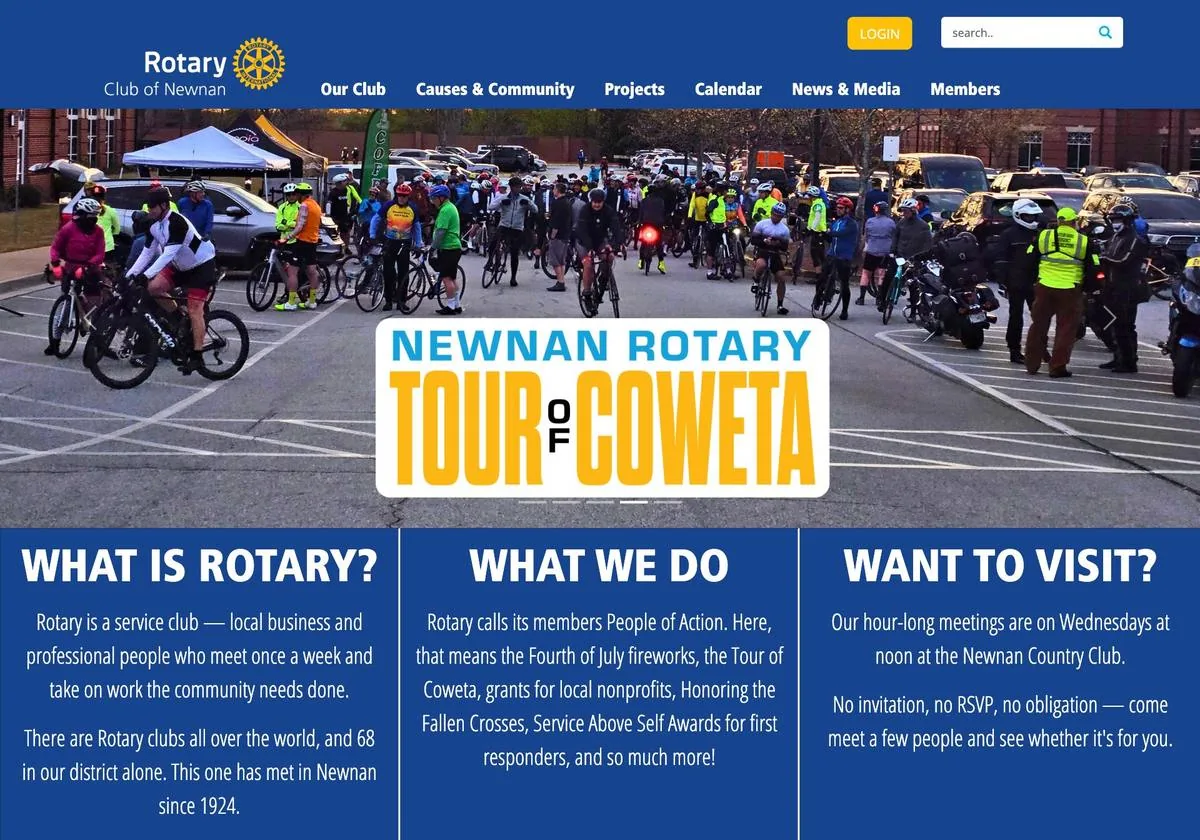
Our club runs on newnanrotary.org. The homepage was redesigned recently — same address, new look — so if you remember it differently, you are not imagining it. Everything below matches the site as it stands today.
The homepage opens with a rotating band of club photos, then three panels answering what most people want to know first: What Is Rotary?, What We Do, and Want To Visit? Keep scrolling and you will pass the community grant cycle, an open invitation to a Wednesday lunch, and the club's latest news.
The menu across the top takes you to the rest — Our Club, Causes & Community, Projects, Calendar, News & Media, and Members. The gold LOGIN button sits at the top right of every page.
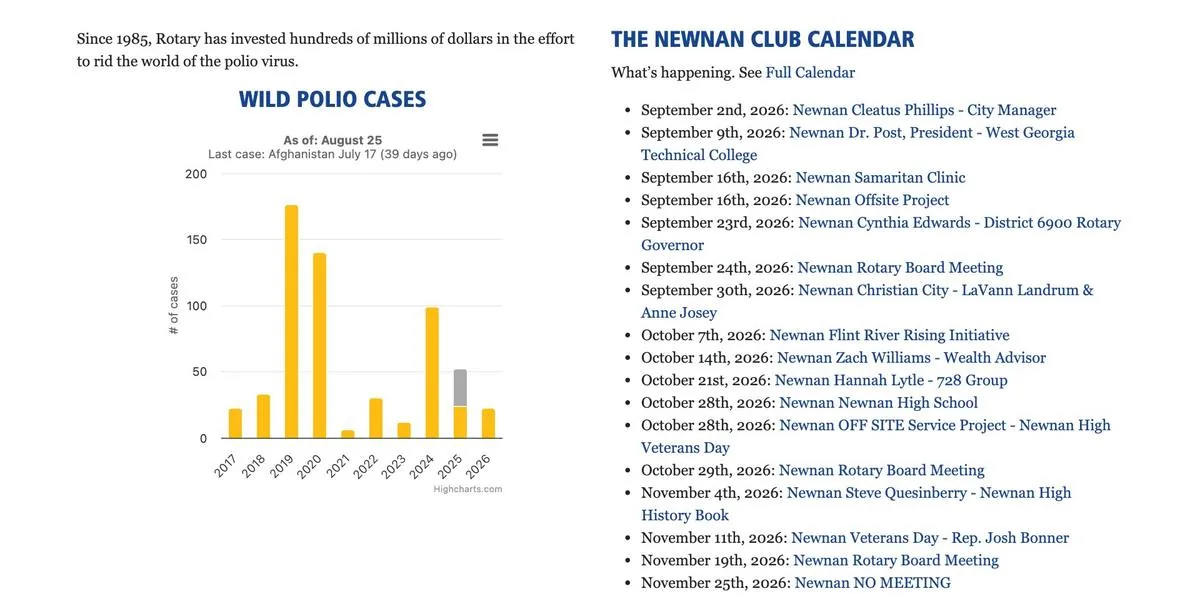
Scroll to the bottom of the homepage for The Newnan Club Calendar — upcoming speakers, board meetings, and service projects, week by week. This is the part that answers the question every member asks on a Tuesday night: who's speaking tomorrow? To look further ahead, click Full Calendar in the line just under the heading.
The club calendar
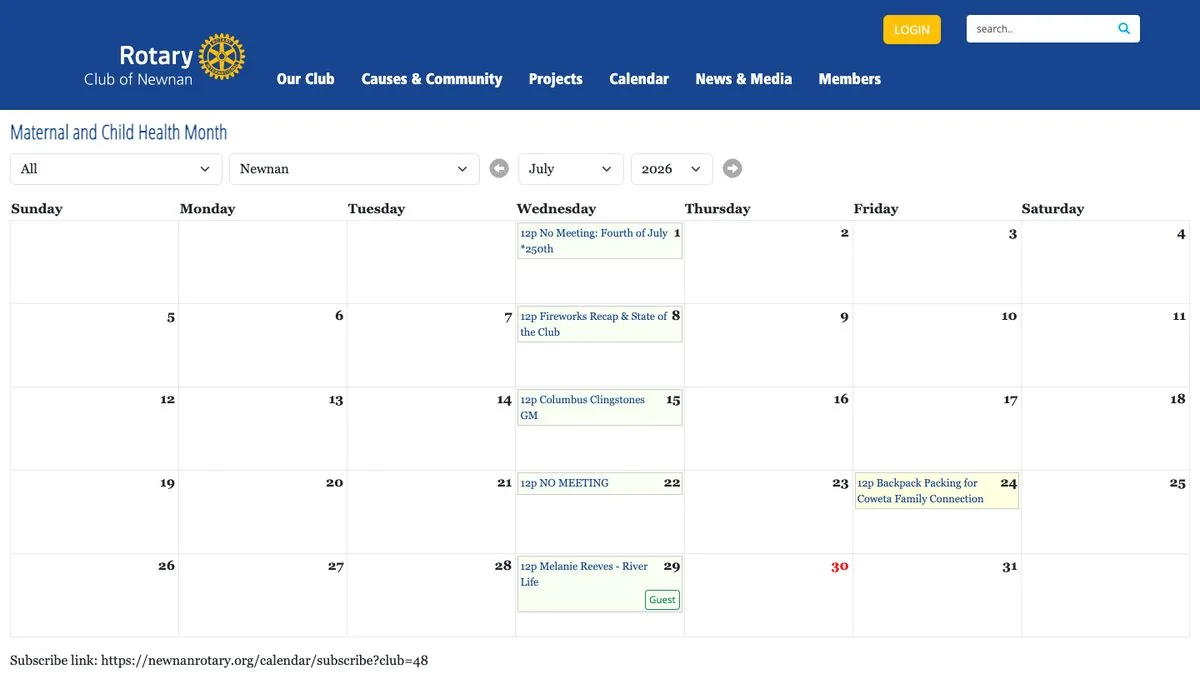
Click Full Calendar on the homepage — or Calendar in the top menu — for the full month view. Every Wednesday program is there at 12:00 pm, along with board meetings, packing days, and the weeks we don't meet. Use the arrows or the month and year menus to look ahead.
Put the club calendar on your calendar
This is the best trick on the whole site. The club calendar is a live feed — subscribe to it once, and every meeting, program, and change shows up in the calendar you already use, automatically.
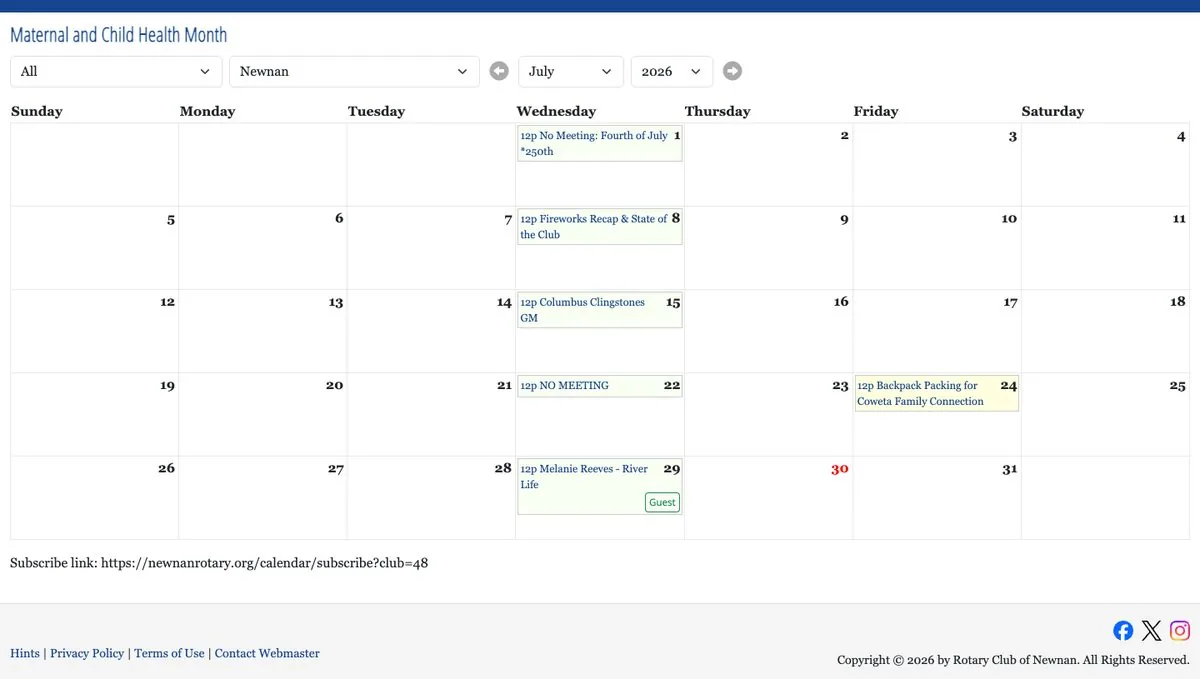
The feed address is at the bottom of the calendar page:
https://newnanrotary.org/calendar/subscribe?club=48
Google Calendar
- Open calendar.google.com on a computer.
- In the left sidebar, next to "Other calendars," click the +.
- Choose From URL.
- Paste the feed link and click Add calendar.
Apple Calendar (Mac)
- Open the Calendar app.
- Choose File → New Calendar Subscription.
- Paste the feed link and click Subscribe.
- Set auto-refresh to Every day, then click OK.
iPhone & iPad
- Open Settings → Apps → Calendar.
- Tap Calendar Accounts → Add Account → Other.
- Tap Add Subscribed Calendar.
- Paste the feed link and tap Next, then Save.
Outlook
- Open Outlook's calendar view.
- Choose Add calendar → Subscribe from web.
- Paste the feed link, name it "Rotary Club of Newnan," and click Import.
If your calendar offers to import the file instead, skip it — an import is a one-time snapshot that never updates. Subscribing keeps your calendar in step with the club's, including changes and cancellations.
Log in
The member side of the site — the roster and your own profile — is behind a login. Click the gold LOGIN button at the top right of any page.
Your username and password come from our Club Secretary, Jason Bedingfield — every member gets one. Can't find yours? Use the Forgot Password button on the login page to reset it by email, or ask Jason at a meeting.
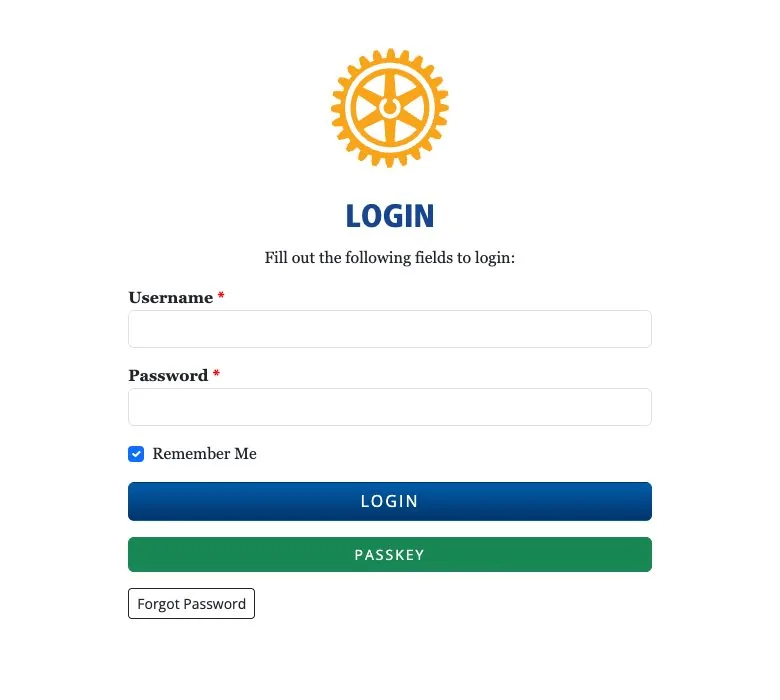
You'll know it worked when your own name appears in the top bar, with a Logout link beside it.

Find yourself in the roster
Once you're logged in, open the Members menu and choose Roster. There's the whole club — photo, name, classification, and contact details, visible to members only.
This is how Rotarians find each other between Wednesdays. Need the member who does wealth management, or the one who joined with you last year? It's all right here — which is exactly why your own entry deserves a good photo and current contact info.
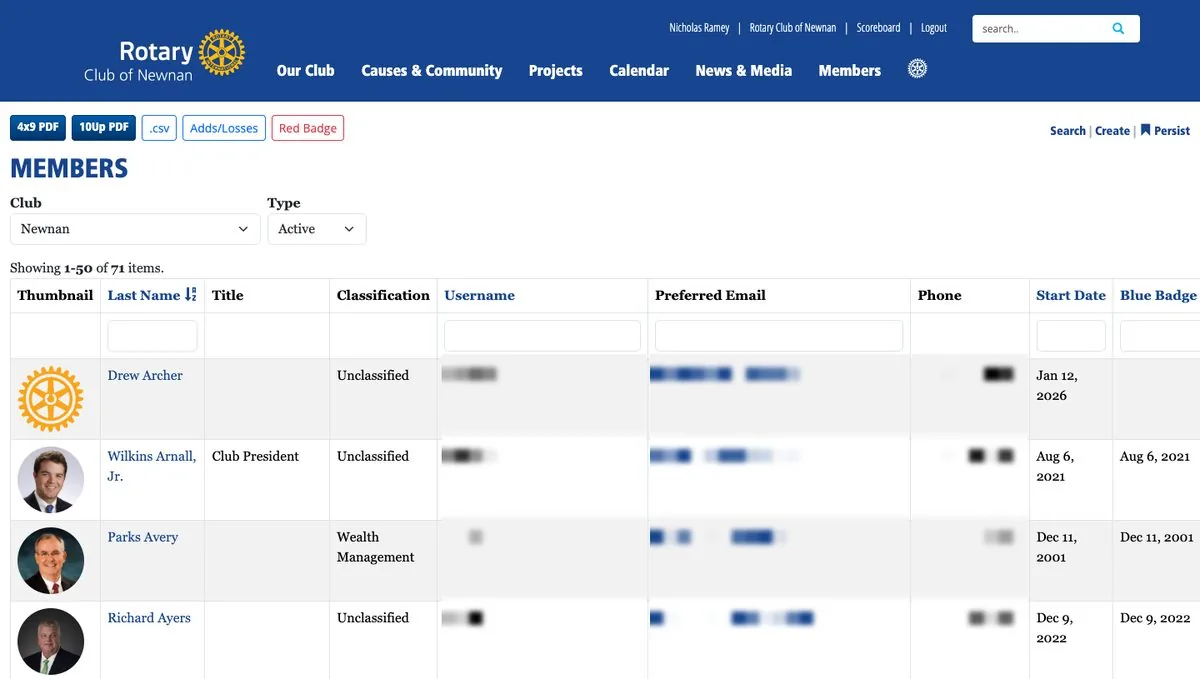
Roster details are for club use — reaching a fellow member, not building a mailing list. They never belong in anything public.
Update your profile and photo
Click your name in the roster (or at the top right of any page) to open your profile. This is what fellow members see, so it's worth five minutes: a photo that looks like you, a line or two of bio, and your business info if you'd like members to know what you do.
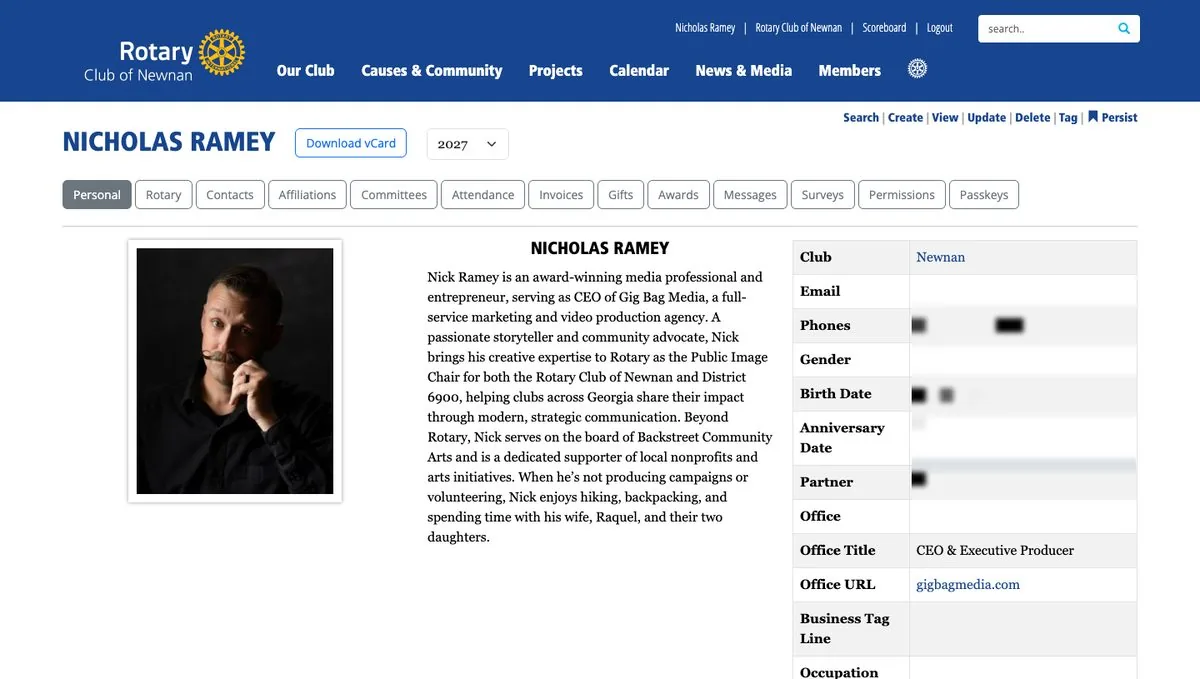
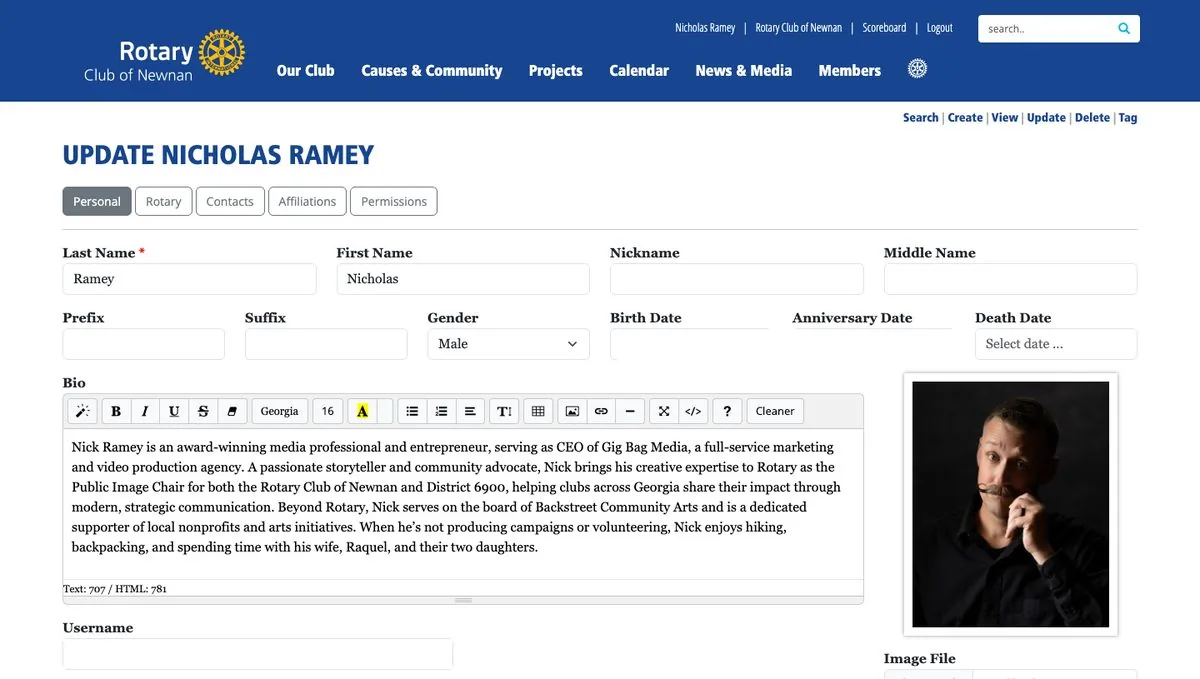
To make changes, click Update in the small row of links at the top right of your profile:
- On the Personal tab, check your name, nickname, and bio. Your current photo sits on the right.
- To change the photo, find Image File just below it and click Choose File.
- Pick a clear, recent headshot — face filling the frame, no group shots.
- Click Save at the bottom of the page.
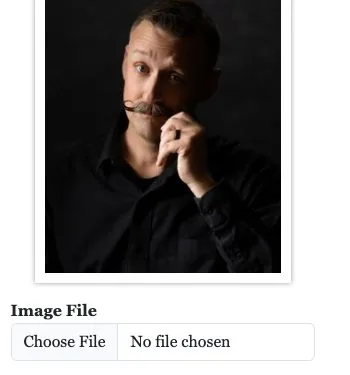
New members learn the club through the roster. A real headshot — instead of the gold wheel placeholder — is a small act of hospitality: it helps every newer member put your name to your face by Wednesday.
Keep your contact info current
Still on the Update page, the Contacts tab lists the email, phone, and address the club has for you — it's where the ePeptarian, dues statements, and club notices go.
One thing worth knowing: the site itself will tell you that most contact changes should be made at my.rotary.org, Rotary International's member site. Changes you make there sync back to the club website overnight. Use the Contacts tab for quick club-side corrections, and remember to click Save.
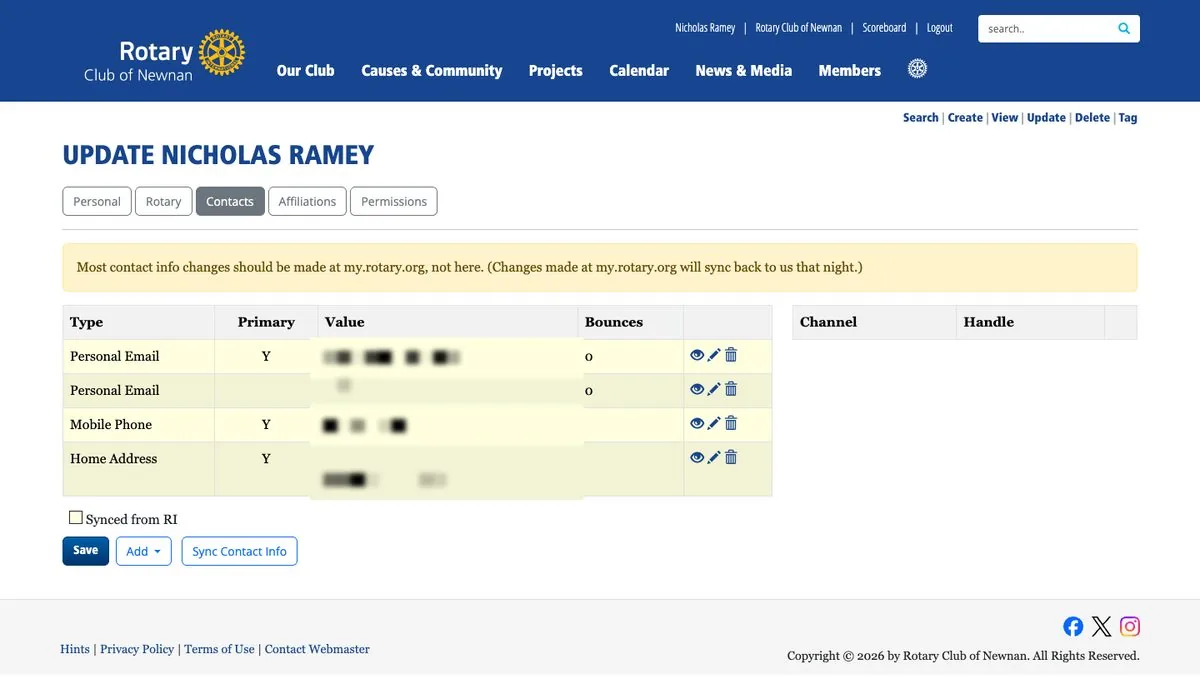
Ten minutes, start to finish: the club calendar living in your pocket, your face in the roster, and your contact info where the club can reach you. Questions? Kevin Barbee or Jason Bedingfield will happily walk you through any step at a Wednesday meeting.
The Four-Way Test — Where Did It Come From?
A company on the edge
We recite the Four-Way Test at every meeting, and most of us could say it without looking at the banner. It's easy to assume Paul Harris wrote it, or Rotary International. It came from a Chicago businessman trying to save a failing company during the Great Depression.
The year was 1932. Herbert J. Taylor, a member of the Rotary Club of Chicago, was asked to take over the Club Aluminum Company, a cookware maker on the verge of bankruptcy. It owed about $400,000 more than it was worth. Taylor took an 80 percent cut in salary to run it and put some of his own money into the company.
He knew cutting expenses wouldn't be enough. The company needed a change in character: one simple ethical standard that everyone could use, from the executives to the sales force to the factory floor. Taylor later described what he was after as a “measuring stick of ethics.”
Four questions, 24 words
What he wrote is the test we still use:
- Is it the TRUTH?
- Is it FAIR to all concerned?
- Will it build GOODWILL and BETTER FRIENDSHIPS?
- Will it be BENEFICIAL to all concerned?
Look at what the four have in common. Every one is a question. None of them tells you what to do. Each one asks you to stop and weigh your own decision: Is it true? Is it fair? Will it strengthen relationships? Will it help the people it affects?
That may be why words written for a Chicago cookware company in 1932 still hold up nearly a century later.
Did it work?
Taylor built the test into the company's culture and expected every employee to apply it in their business dealings. Club Aluminum paid off its debt and, over the years that followed, became profitable, paid its stockholders significant dividends, and built substantial value. Taylor credited much of that turnaround to a culture built on truth, fairness, goodwill, and mutual benefit.
How Rotary made it its own
The turnaround caught Rotary's attention. Rotary adopted the Four-Way Test in 1943, and Herbert Taylor went on to serve as president of Rotary International in 1954–55. Today Rotarians around the world use the same four questions as an ethical guide.
Taylor wrote the test for real life: for decisions involving money, customers, and employees, when doing the right thing might not be the easiest thing. Somewhere along the way, Kevin wondered, we may have gotten so used to reciting it that we forget we're supposed to use it.
“Don't just recite the Four-Way Test — use it.” At least once this month, when you face a decision that isn't completely clear, stop and ask yourself all four questions on purpose. See whether they change the way you think about it.